

Download 15C Scientific Calculator – Free, Secure, Full‑Feature Math Tool
Overview
The 15C Scientific Calculator is a powerful, all‑in‑one math utility designed for students, engineers, and anyone who needs a reliable handheld‑style calculator on their computer or mobile device. Built with a clean, modern interface, the app delivers the full suite of scientific, engineering, and statistical functions you would expect from a high‑end physical calculator, plus a host of programmable capabilities that let you automate repetitive calculations. Whether you’re solving complex numbers, performing definite integrals, running probability distributions, or tackling matrix operations, 15C provides a seamless experience that removes the need for multiple separate tools.
The app also includes an extensive in‑app user manual, contextual help links, and shortcut keys for rapid data entry, making it an ideal companion for classroom work, exam preparation, and professional engineering projects. Its ability to toggle between US and EU numeric formats ensures that you can work with data from any region without manual conversion. Overall, 15C Scientific Calculator stands out as a versatile, secure, and continuously updated solution for high‑level mathematical computation.
Key Features of 15C Scientific Calculator
- Comprehensive Function Set – Includes arithmetic, trigonometric, hyperbolic, logarithmic, exponential, factorial, permutation, combination, and advanced calculus functions such as differentiation and integration.
- Complex Number Support – Full handling of real and imaginary parts, polar and rectangular forms, and complex conjugates.
- Matrix Operations – Create, edit, and compute determinants, inverses, eigenvalues, and perform matrix multiplication.
- Statistical & Probability Tools – Binomial, Poisson, normal distribution calculations, standard deviation, variance, regression analysis, and hypothesis testing.
- Programmable Macros – Record sequences of keystrokes, save them as custom functions, and recall them with a single shortcut.
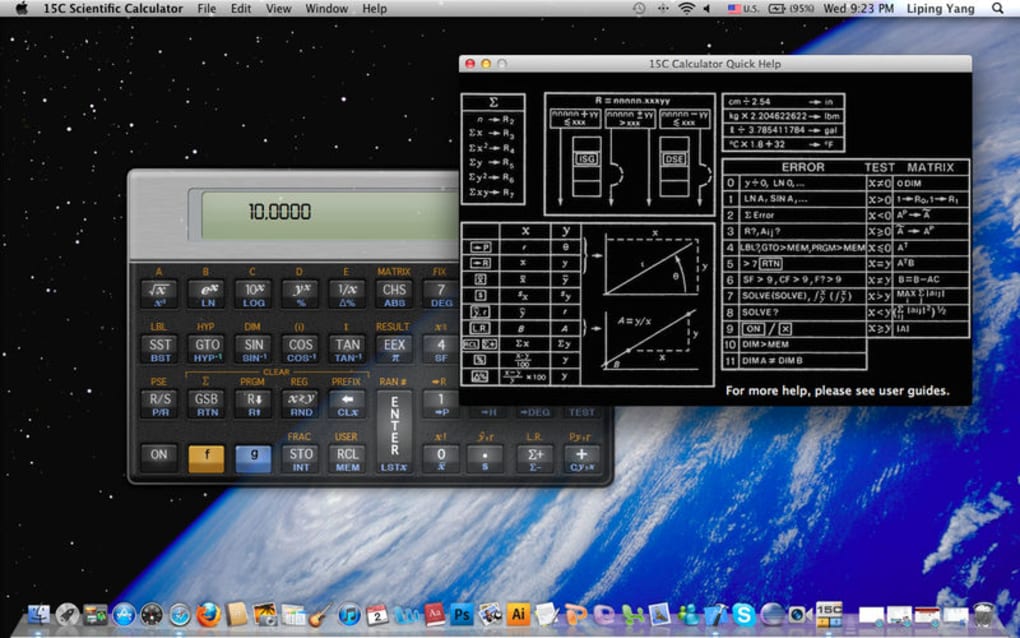
- In‑App User Manual & Online Support – Detailed explanations of each function, step‑by‑step tutorials, and a searchable help center.
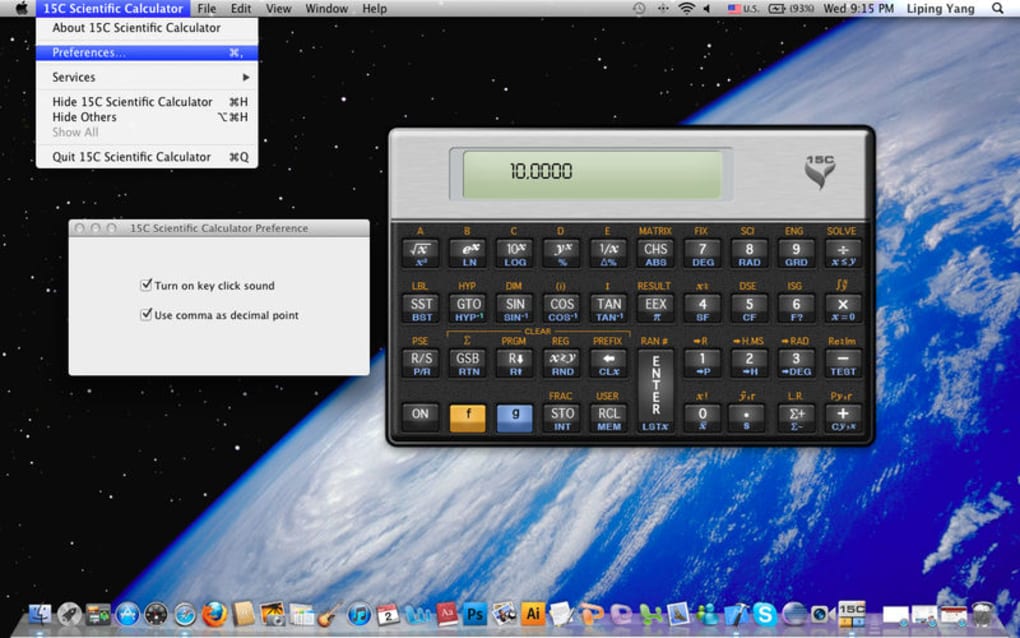
- Locale Switching – Instantly switch between US (dot) and EU (comma) decimal separators and date formats.
- Customizable Interface – Choose from light or dark themes, resize panels, and set preferred button layouts.
- Keyboard Shortcuts & Quick‑Entry – Over 50 predefined shortcuts for faster data input, plus the ability to define your own.
- Secure Updates – Automatic, signed updates ensure you always have the latest features and security patches.
Installation, Usage Instructions & Compatibility
Getting started with 15C Scientific Calculator is straightforward. Follow these steps to download, install, and begin solving problems:
Step‑by‑Step Installation
- Visit the official download page and click the Download button that matches your operating system.
- For Windows users, run the
.exeinstaller and follow the on‑screen prompts. macOS users should open the.dmgfile and drag the app to the Applications folder. - Android users can download the
.apkfrom the Google Play Store, while iOS users simply tap Get in the App Store. - After installation, launch the app. The first run will display a short onboarding tour that highlights the main panels and shortcut keys.
Basic Usage Tips
Once the program is open, you’ll see a familiar keypad layout on the left and a multi‑line display on the right. Enter numbers or functions using either the mouse or your keyboard. To access advanced functions, press Shift + the desired key or use the function dropdown menu. For matrix entry, select the matrix icon, input dimensions, and then fill each cell. The History pane records every calculation, allowing you to revisit or reuse previous results.
Saving & Exporting Work
You can save sessions as .15c files, which preserve all variables, custom macros, and history. Export options include CSV for numeric tables, PDF for formatted reports, and plain text for quick sharing.
Compatibility
15C Scientific Calculator is built on a cross‑platform engine, guaranteeing consistent performance across the major operating systems:
- Windows 10, 11 (64‑bit)
- macOS 10.15 Catalina and later (Intel & Apple Silicon)
- Android 8.0 (Oreo) and above
- iOS 13 and above (iPhone & iPad)
System requirements are modest: at least 2 GB RAM, 200 MB of free disk space, and a modern processor. The app runs smoothly on laptops, desktops, tablets, and even smartphones, making it ideal for on‑the‑go calculations.
Pros and Cons – Quick Verdict
Pros
- Extensive function library covers virtually every scientific need.
- Programmable macros save time on repetitive calculations.
- Intuitive UI with customizable themes for comfortable long‑term use.
- Cross‑platform support ensures you can work on any device.
- Robust help system with in‑app manual and online tutorials.
- Secure, automatic updates keep the software current and safe.
- Free version provides core features; paid upgrade adds advanced modules.
Cons
- Learning curve for users unfamiliar with scientific notation.
- Advanced matrix features may feel limited compared to dedicated linear‑algebra packages.
- Keyboard shortcuts are extensive; beginners may need time to memorize them.
- Free tier lacks some premium visualizations (e.g., 3‑D graphing).
Overall Rating: 4.5/5
15C Scientific Calculator strikes an excellent balance between depth and usability. While the sheer number of functions can be intimidating at first, the well‑structured UI, comprehensive help resources, and customizable shortcuts make the learning process manageable. Engineers will appreciate the quick macro system, and students will love the free tier’s breadth of features. Minor drawbacks, such as limited 3‑D graphing in the free version, are outweighed by the app’s reliability and cross‑platform availability.
Frequently Asked Questions & Final Thoughts
Is the 15C Scientific Calculator really free?
Yes, the core version of 15C is completely free. It includes all basic scientific functions, complex number support, and matrix operations. A paid “Pro” upgrade unlocks advanced modules such as 3‑D graphing, expanded statistical tools, and priority support.
Can I use 15C offline?
Absolutely. After the initial download and installation, all calculator functions work offline. Online help and updates require an internet connection, but day‑to‑day calculations do not.
How secure are the automatic updates?
Updates are digitally signed by the development team and delivered via HTTPS. This guarantees that the files cannot be tampered with and that you receive authentic, verified releases.
Does 15C support custom themes or color schemes?
Yes, users can switch between a light theme, a dark theme, and create custom color palettes for the keypad and display. Theme preferences are saved between sessions.
What kind of technical support is available?
All users have access to the online knowledge base, community forums, and email support. Pro users receive priority response times and direct chat assistance.
Conclusion – Why You Should Download 15C Scientific Calculator Today
In a world where precision and speed are paramount, the 15C Scientific Calculator delivers a comprehensive, secure, and user‑friendly solution for anyone dealing with mathematics beyond basic arithmetic. Its free core offering already rivals many paid alternatives, and the optional Pro upgrade provides a clear pathway for power users. Whether you’re a high‑school student preparing for exams, a university researcher tackling complex integrals, or an engineer needing rapid matrix computations, 15C equips you with the tools to succeed. The intuitive interface, extensive documentation, and cross‑platform compatibility ensure that you can work efficiently on any device, anywhere. Don’t let manual calculations slow you down—download 15C Scientific Calculator now, experience the convenience of a full‑featured scientific calculator on your screen, and enjoy the confidence that comes with accurate, reliable results.
Click here to download the free version and start solving your toughest problems instantly.







